Nginx can use the HTTP Basic Authentication protocol to verify usernames and passwords to restrict access to resources.
The effect is as follows:
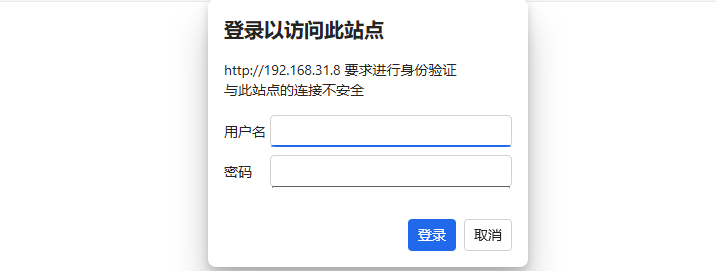
When verification is canceled, it prompts 401 Authorization Required:

Configuration Example
# Enable authentication for the /admin page
location /admin {
    auth_basic "Admin Area";
    auth_basic_user_file auth.txt;
}
Here, auth.txt is the user password file. Example:
# This is an example; do not use plain text in practice
admin:password
Restart Nginx to apply the changes. When accessing the /admin page, username and password authentication will be required.
Configuration Directives
Can be used in http, server, or location blocks.
Syntax: auth_basic string | off;
Default: auth_basic off;
auth_basic is used to enable HTTP Basic Authentication. string is the prompt string, which may not be displayed in some clients.
Syntax: auth_basic_user_file file;
Default: Not set
auth_basic_user_file specifies the file path storing usernames and passwords.
The password file format is as follows:
# Comment
user1:password1
user2:password2:comment
Each line represents one user, with a colon separating the username and password. Passwords can be encrypted or plain text (strongly discouraged). It is recommended to hash passwords using the Apache MD5 password algorithm variant (apr1):
openssl passwd -apr1 "password"
$apr1$92M7XnJc$QftLoP0/mWVZiATRvNu2.1
Add the result to the password file:
user1:$apr1$92M7XnJc$QftLoP0/mWVZiATRvNu2.1